PayPal
 Stripe
 QuickBooks
 Zoom
Zoom Google Meet
 Slack
Slack Zapier
 Mailchimp
How to Use Team Time Tracking and Timesheets in ClientRamp
Learn more about: Detailed Timesheets. Team Workload, and Team Timesheets
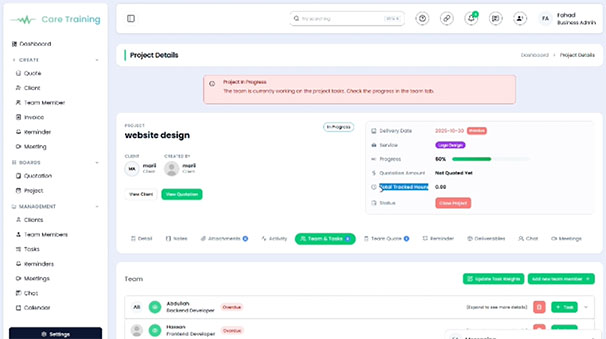
ClientRamp's built-in team time tracking and timesheet tools give every member of your organization a simple, reliable way to log hours directly inside the platform — against the exact client or project they're working on, in real time. Whether your team bills hourly, tracks internal capacity, or simply needs to understand where time is going, ClientRamp captures it all without adding friction to anyone's workflow.
Team members can start and stop timers as they work, or manually enter hours at any point, keeping every log accurate and tied to the right project record. Managers get full visibility into every hour logged across the team, with the ability to review, approve, and export timesheet submissions from a single dashboard. Because time tracking lives in the same platform as your projects, clients, and invoices, everything stays connected — making it easy to bill accurately, identify bottlenecks, and make smarter decisions about how your team's time is being used.
Keeping accurate records of how your team spends its time shouldn't require a separate app, a stack of spreadsheets, or a manual follow-up process at the end of every week. ClientRamp's built-in team timer and timesheet tools give every member of your organization a simple, reliable way to log hours directly inside the platform — against the exact client or project they're working on, in real time. Whether your team is billing hourly, tracking internal capacity, or simply trying to understand where time is going, ClientRamp captures it all without adding friction to anyone's workflow.
Managers get full visibility into every hour logged across the team, with the ability to review, approve, and export timesheet submissions from a single dashboard. No chasing down entries, no reconciling data from disconnected tools, and no wondering whether the hours on an invoice match what was actually worked. Because time tracking lives in the same platform as your projects, clients, and invoices, everything stays connected — making it easy to bill accurately, identify bottlenecks, and make smarter decisions about how your team's time is being used.