PayPal
 Stripe
 QuickBooks
 Zoom
Zoom Google Meet
 Slack
Slack Zapier
 Mailchimp
How to use our Zapier API
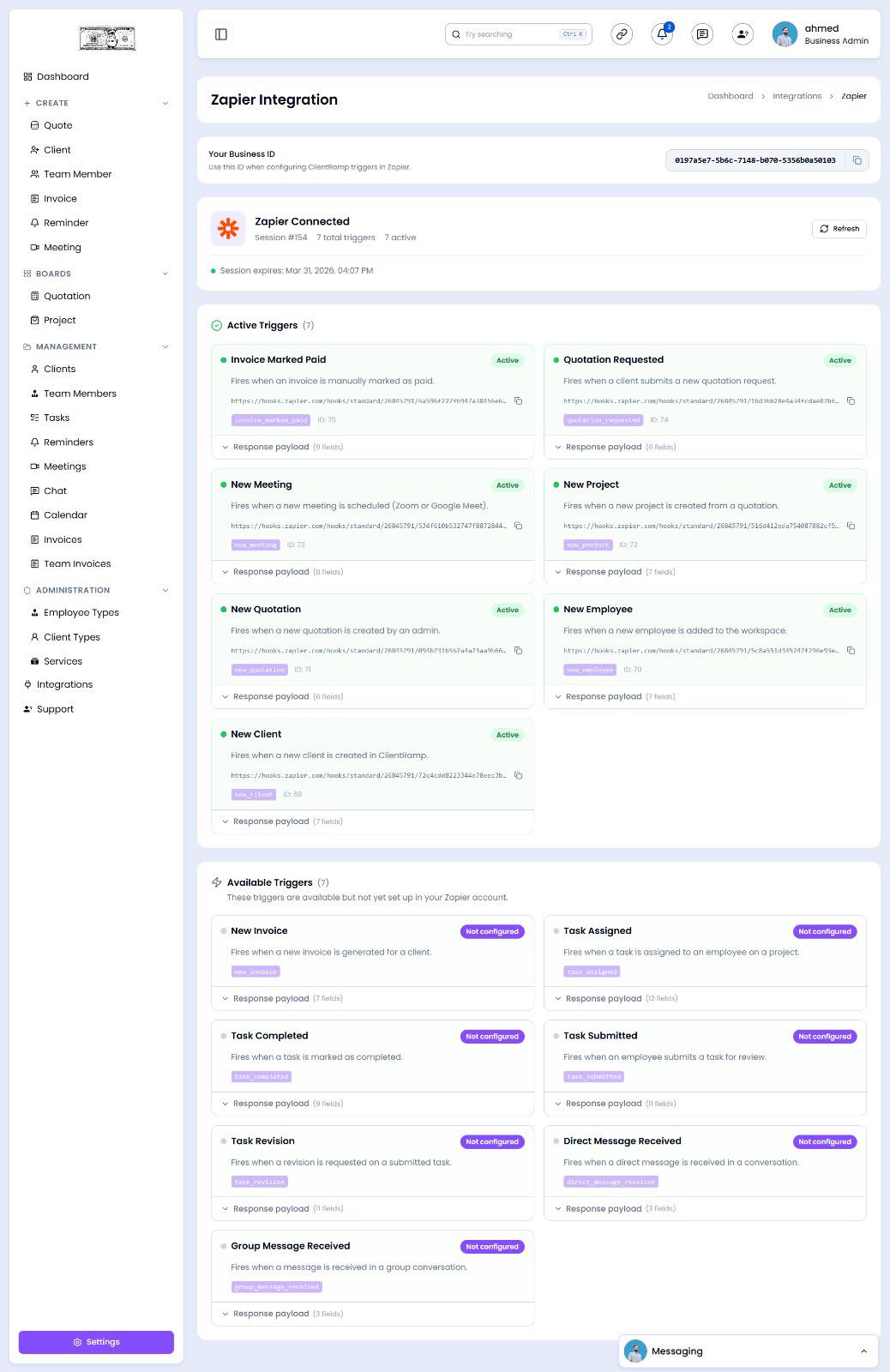
The Zapier API tool for ClientRamp enables seamless integration with Zapier's automation platform, allowing you to connect ClientRamp to over 7,000 apps without writing a single line of code. Using Zapier's trigger-and-action system, you can automate repetitive tasks such as creating new clients when a form is submitted, sending notifications when a project status changes, syncing invoice data to your accounting software, or triggering email campaigns based on project milestones. By connecting ClientRamp to Zapier, businesses can eliminate manual data entry, reduce errors, and build powerful automated workflows that keep all of their tools working together in real time.
Section Title Zapier API Key
Section Desc `To connect Zapier to ClientRamp, you will need to locate your API credentials within your Zapier account. Follow these steps:
Log In: Go to your Zapier account at https://zapier.com and sign in with your credentials.
Navigate to API Settings: Click on your profile avatar in the top right corner and select Settings from the dropdown menu. Then click on the Developer tab, or go directly to https://zapier.com/app/developer.
Create a New Integration: Click Build an Integration or select an existing app integration. From the integration dashboard, open the Authentication tab and select API Key as your authentication type.
Generate Your Key: Follow the prompts to set up your API key fields. Once configured, Zapier will generate the credentials needed to authenticate API calls between ClientRamp and your Zap workflows.
Copy and Paste into ClientRamp: Once you have your API key, navigate to Business Settings inside your ClientRamp dashboard and paste the key into the Zapier API field to complete the connection.
Create Your First Zap: Log into Zapier, click Create Zap, choose ClientRamp as your trigger or action app, and select the workflow event you want to automate.`