PayPal
 Stripe
 QuickBooks
 Zoom
Zoom Google Meet
 Slack
Slack Zapier
 Mailchimp
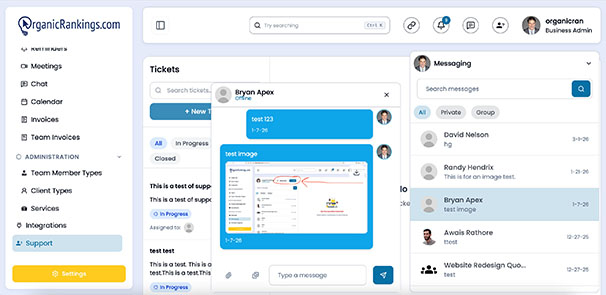
How to Use Messaging and Chats in ClientRamp
ClientRamp's built-in messaging tools keep every client and team conversation organized, searchable, and tied to the right project — so nothing ever gets lost in an inbox. Team members can communicate through group or private chats, share files instantly, and stay aligned on project updates without leaving the platform. Every message is logged against the relevant client or project record, giving your whole team full context at any point without needing to dig through email threads or ask for catch-ups.
For businesses that prefer to stay connected through external tools, ClientRamp also integrates directly with Slack, so your team can receive real-time project notifications and collaborate through your existing Slack workspace without missing a beat. Video calls are covered too — with built-in Zoom and Google Meet integrations, you can launch client meetings directly from any project or client record inside the platform.
Whether your team is remote, hybrid, or in-office, ClientRamp gives you everything you need to communicate clearly, respond faster, and keep a complete record of every conversation tied to the work you're delivering.