PayPal
 Stripe
 QuickBooks
 Zoom
Zoom Google Meet
 Slack
Slack Zapier
 Mailchimp
How to Use Video Conferencing in ClientRamp
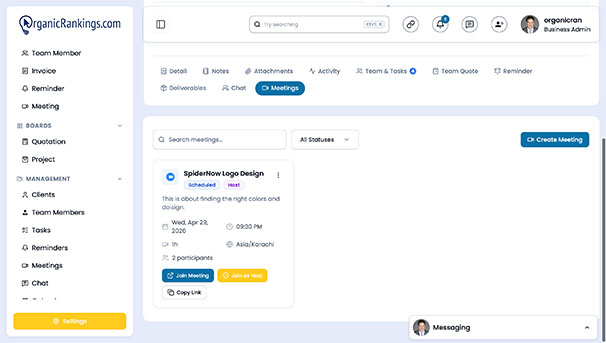
ClientRamp's built-in video conferencing tools make it easy to connect with clients and teammates without ever leaving the platform. Through native integrations with both Zoom and Google Meet, you can start or schedule a video call directly from any project or client record inside your dashboard — keeping every meeting tied to the work it relates to and eliminating the back-and-forth of sharing links, copying meeting IDs, or switching between apps.
Whether you're running a project kick-off, a weekly check-in, a strategy session, or a final delivery call, ClientRamp ensures the meeting is always connected to the right context so your whole team stays aligned. Meeting details are logged against the relevant project record, giving everyone on the team visibility into when calls took place and what was discussed. For businesses that regularly communicate with clients through video, this integration removes a common source of friction and keeps your entire client relationship — from first contact to final invoice — organized inside one platform.
No third-party scheduling tools, no separate meeting apps, and no lost links — just a single place to manage your work and the conversations that drive it forward.