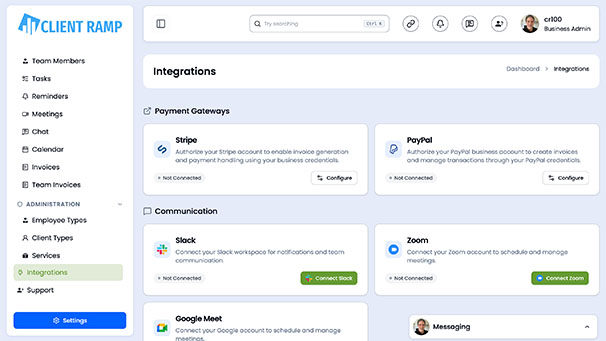
PayPal
 Stripe
 QuickBooks
 Zoom
Zoom Google Meet
 Slack
Slack Zapier
 Mailchimp
How to use our Mailchimp API
The Mailchimp API tool for ClientRamp enables seamless integration with Mailchimp's email marketing platform, allowing you to automatically sync your client and contact lists directly from your project management workflow. This integration supports audience management, automated campaign triggers, subscriber syncing, and real-time list updates — eliminating the need for manual data entry between platforms. By connecting Mailchimp to ClientRamp, businesses can streamline their marketing operations, ensure client data stays current across both systems, and deliver targeted email campaigns tied directly to project milestones and client activity.
Section Title Mailchimp API Key
Section Desc `To connect Mailchimp to ClientRamp, you will need to generate an API key from your Mailchimp account. Follow these steps:
Log In: Go to your Mailchimp account at https://mailchimp.com and sign in with your credentials.
Navigate to API Keys: Click on your profile name in the bottom left corner, then select Account & Billing. From there, go to the Extras menu and click API Keys.
Generate a New Key: Scroll to the "Your API Keys" section and click Create A Key. Give it a name (e.g. "ClientRamp") so you can identify it later.
Copy Your Key: Once generated, copy the API key immediately — Mailchimp will only show it once. Paste it into the Mailchimp API field inside your ClientRamp Business Settings.
Audience/List ID: You will also need your Mailchimp Audience ID to tell ClientRamp which list to sync contacts to. Find this under Audience → Manage Audience → Settings → Audience name and defaults — your Audience ID is listed there.`