Documentation

Welcome to Client Ramp! Get familiar with our software and explore their features:

Getting Started

Get familiar with our software and explore their features:

Stay organized and manage all your projects and clients in one central location. Our project management tool streamlines your workflow by allowing you to:

  • Create and manage projects.
  • Generate and track quotes.
  • Assign tasks and projects to team members.
  • Monitor progress to ensure timely delivery.

This tool promotes collaboration by keeping everyone informed and aligned. You can set project deadlines, define milestones, and manage workloads at both the company and individual levels. With an intuitive, customizable interface, the tool adapts to your business needs effortlessly. It also provides detailed activity tracking, so you can log every team action and monitor progress to stay on target and achieve your goals.

This tool promotes collaboration by keeping everyone informed and aligned. You can set project deadlines, define milestones, and manage workloads at both the company and individual levels. With an intuitive, customizable interface, the tool adapts to your business needs effortlessly. It also provides detailed activity tracking, so you can log every team action and monitor progress to stay on target and achieve your goals.

Main Features

Quote Management

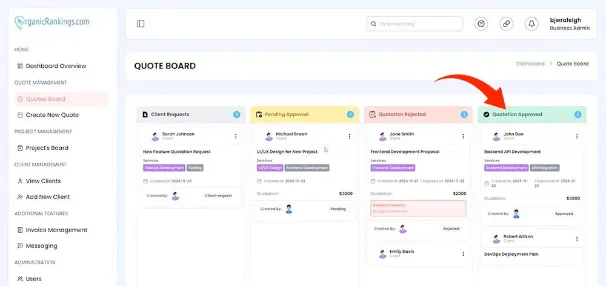
If you need to update a client’s quote after a face-to-face or phone conversation, we’ve designed an intuitive and efficient solution. Easily make manual updates to the status of your quotes using our drag-and-drop feature. Simply click on a quote and drag it to the appropriate status column—it’s that easy. This user-friendly functionality ensures your records stay up-to-date with minimal effort, so you can focus on keeping your clients satisfied and ensuring your projects progress smoothly.
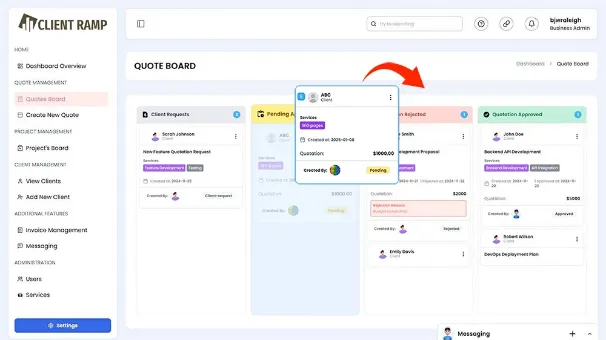
Dragging Quote to next step

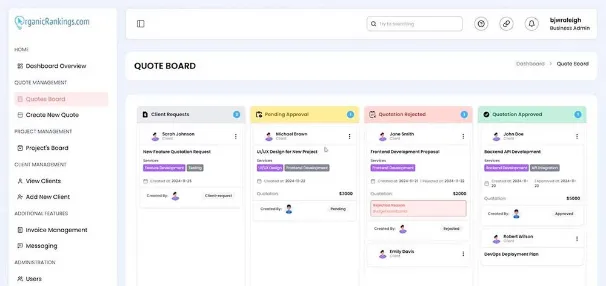
Our quotation management system simplifies managing quotes by centralizing everything in one convenient hub. Tracking the status of your outstanding quotes can often feel overwhelming and time-consuming, but our quote board makes it effortless. Easily create and customize quotes directly from your account. Once finalized, download them as PDF files and send them to clients for review. The dashboard’s status columns keep you informed about each quote, allowing you to see when a quote has been approved, rejected, requested, or when it’s time for a follow-up. Stay organized and up-to-date by editing pricing, features, or statuses as needed. With our system, you’ll always know the status of your quotes, helping you run your business more efficiently.
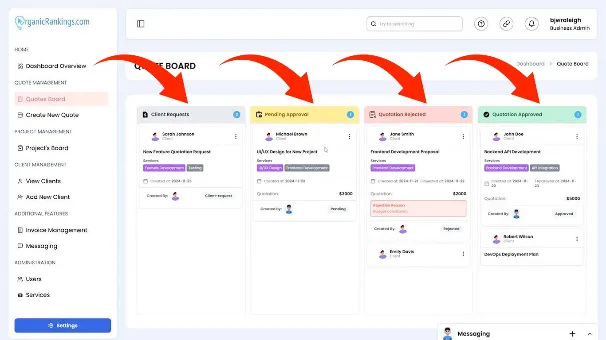
Quote Board Sections to update

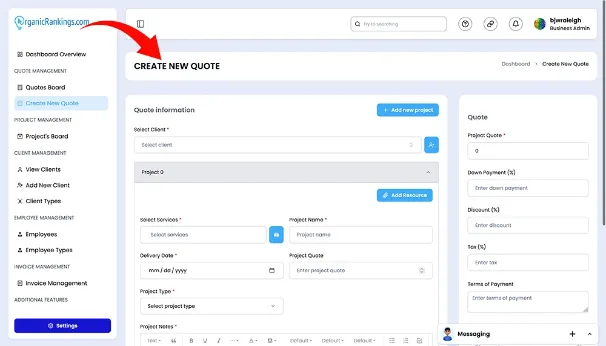
Creating new quotes in a content management system is a seamless and efficient process designed to simplify your workflow. With just a few clicks, you can generate detailed, professional quotes tailored to your clients' needs. The system allows you to customize every aspect, including pricing, item descriptions, and terms, ensuring accuracy and transparency. Once created, quotes can be saved, shared as PDFs, or sent directly to clients for review. Built-in templates and automated calculations streamline the process, saving you time and reducing errors. With this functionality, you can manage your quotes efficiently while delivering a polished, client-focused experience.

Creating a New Quote

Quote Board Steps

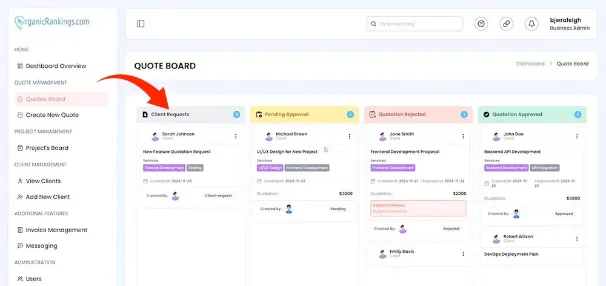
Create your first quote and guide it through our process from beginning to end by following the steps below.

The client requests the quote from the Agency and provides the information in order to receive a good quote.

Client Requests

- Client first signs up and 'creates their profile ' for the Agency to receive.

- Then the Client creates the quote request.

- Additional information such as document, images and relevant fies are attached to the project

- Agency receives the information to determine the quote.

Client Requests

Client Requests: Each quote is deemed acceptable or rejected by the Agency during the process.

The client requests the quote from the Agency and provides the information in order to receive a good quote.

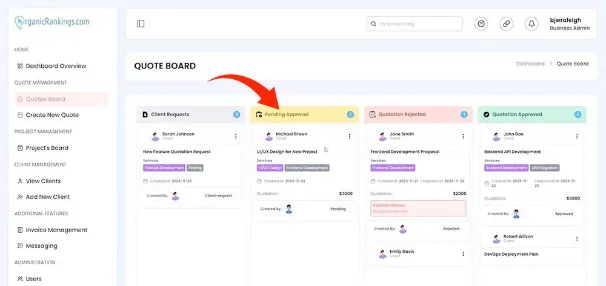
Pending Approvals

- After request is sent then the Agency 'reviews the information' that they received.

- If additional information is needed then the Agency can contact the client for futher informaiton.

- If the quote is approved then a quote is sent to the client.

- Then the Agency waits for the client to approve the quote.

Client Requests

Pending Approvals: Each quote that is approved or accepted and pushed through the process.

The client requests the quote from the Agency and provides the information in order to receive a good quote.

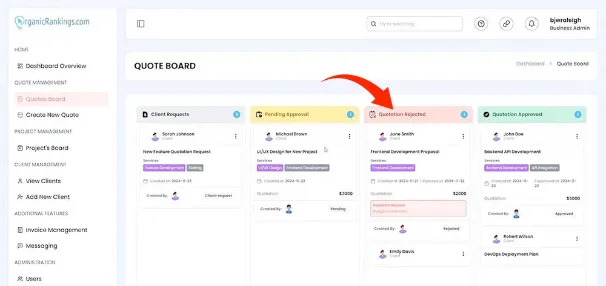
Quotation Rejected

- After the Agency receives the quote and 'it is rejected' the client will receive a notice of the rejection.

- The client will have a chance to correct any issues with the information sent .

- If the client does not correct any issues with the rejected quote then the project is closed

- The client will have the opportunity to re-open the project at any time.

Client Requests

Quotation Rejected: Rejected quotes can be re-opend at any time if the client corrects issues with the quote.

The client requests the quote from the Agency and provides the information in order to receive a good quote.

Quotation Approved

- If a quote has been approved then the client will be supplied with a 'quote to review' to see if it is acceptable to the client.

- The client can either accept the quote or reject it.

- If the client accepts the quote then the project moves forward.

- If the client rejects the quote then the project is closed.

Client Requests

Quotation Approved: Quotes the are approved during the process will proceed once accepted by the client

Project Management

Manage your clients with out Project Management software and learn how you can improve your management of your clients.

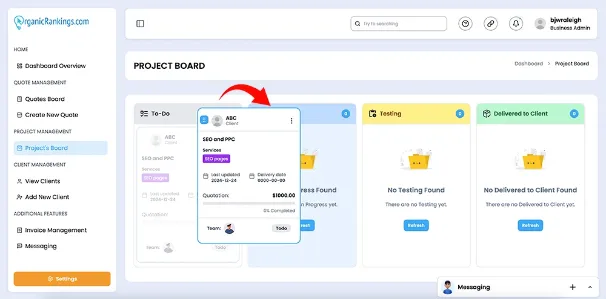
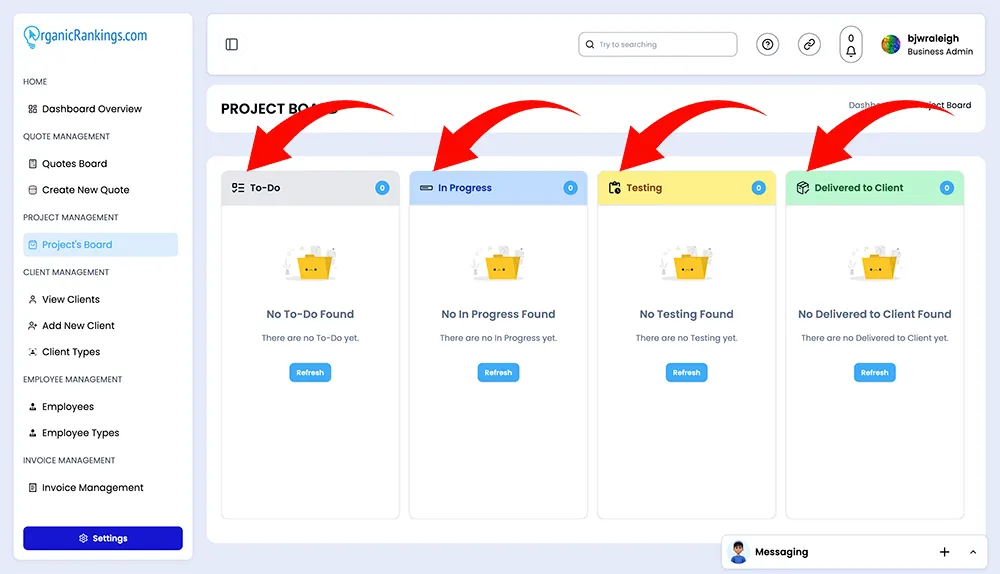
Drag and drop your projects from one status to the next until it is completed.
Drag Project to new Status
Manage your projects throughout our project columns with our drag and drop feature to easily move your projects to the next step.
Managing your Project List
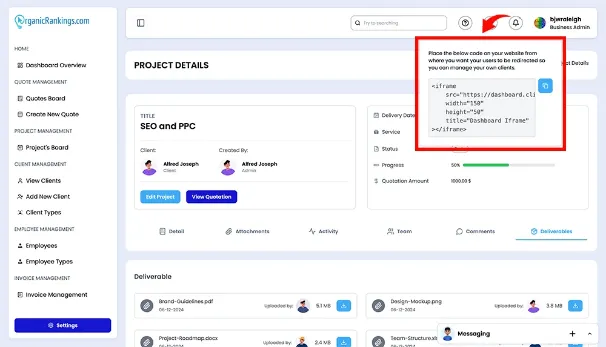
Adding a website widget is easy, enabling you to integrate interactive features directly into your site to enhance user experience and streamline client interactions.
Adding Website Widget

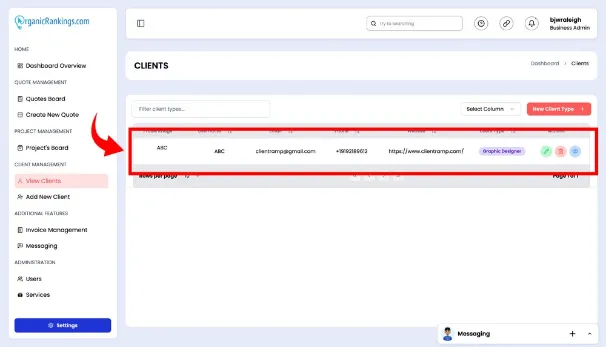
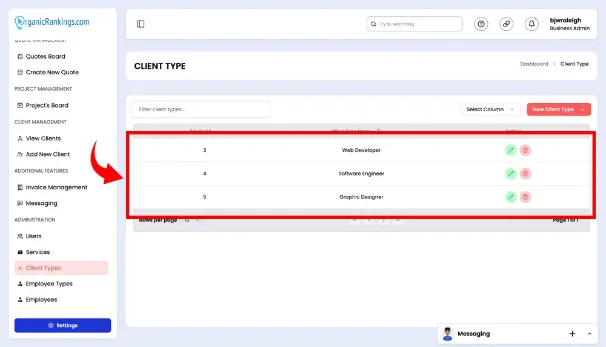
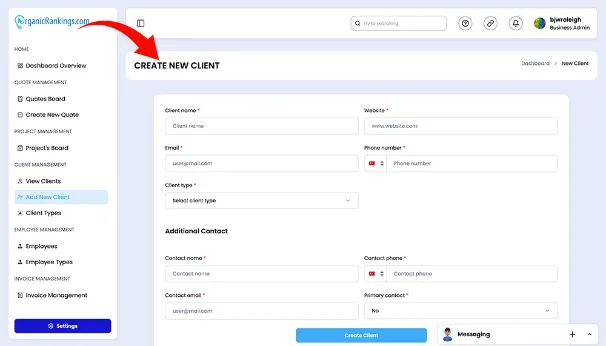
Client Management

Manage your Clients with ease and grow your business with our project management system.

Managing Invoices

If you need to update a client’s quote after a face-to-face or phone conversation, we’ve designed an intuitive and efficient solution. Easily make manual updates to the status of your quotes using our drag-and-drop feature. Simply click on a quote and drag it to the appropriate status column—it’s that easy. This user-friendly functionality ensures your records stay up-to-date with minimal effort, so you can focus on keeping your clients satisfied and ensuring your projects progress smoothly.

Dragging Quote to next step

Our quotation management system simplifies managing quotes by centralizing everything in one convenient hub. Tracking the status of your outstanding quotes can often feel overwhelming and time-consuming, but our quote board makes it effortless. Easily create and customize quotes directly from your account. Once finalized, download them as PDF files and send them to clients for review. The dashboard’s status columns keep you informed about each quote, allowing you to see when a quote has been approved, rejected, requested, or when it’s time for a follow-up. Stay organized and up-to-date by editing pricing, features, or statuses as needed. With our system, you’ll always know the status of your quotes, helping you run your business more efficiently.

Quote Board Sections to update

Administration

Manage your Client Ramp account and update your settings and profile to customize your project management account.

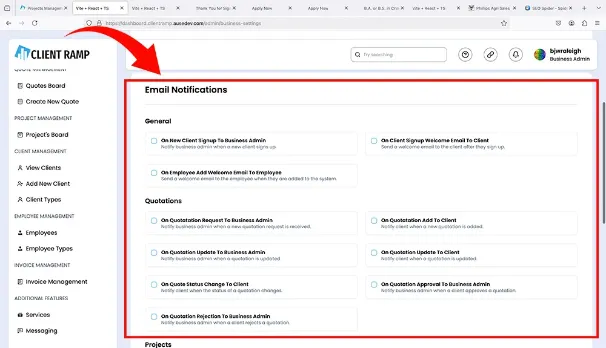
Managing email notifications is effortless, allowing you to customize settings, automate updates, and ensure clients and team members stay informed about important activities and updates.
Email Notifications
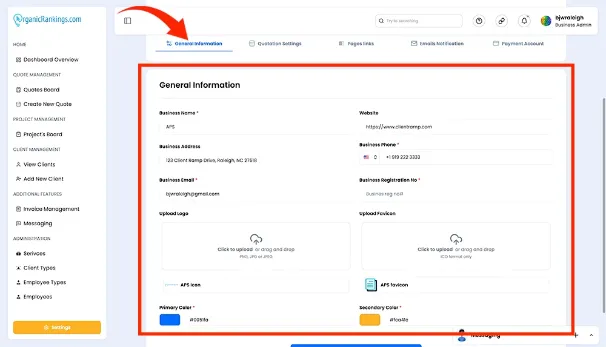
Managing general information is streamlined, enabling you to update, organize, and maintain essential business details in one centralized location for easy access and consistency.
Managing your Project List
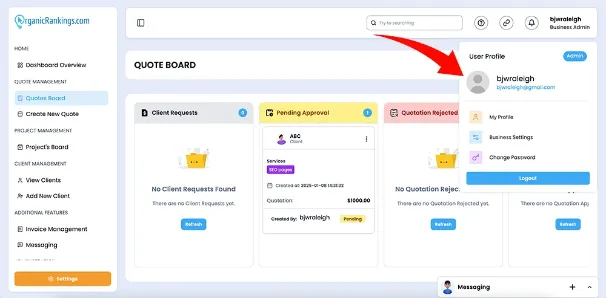
Managing business settings is straightforward, allowing you to customize preferences, configure workflows, and align the platform with your organization's specific needs and goals.
Managing Your Business Settings
Quote management is simplified with tools to create, customize, track, and update quotes, ensuring accuracy and efficiency throughout the sales process
Quote Management

Change Log

ClientRamp's Change Log details the history of all modifications, updates, and improvements made to the software over time.

January 10, 2025

UX Change

1.5

ImprovementInterface Changed

NewAdded PayPal functionality

NewAdded drag project process

February 21, 2025

Features Update

1.5.2

FixedAdding custom fields

ImprovementAutomated email response

UpdateVideo Conferencing Issue

UpdateTestimonial Carousel Issue

March 19, 2025

Integration Update

1.3

ImprovementUser log in captcha update

ImprovementStripe API Integration webhook

ImprovementMobile menu hamburger changed

FixedChat disconnections

FixedInvoicing PDF missing info

FixedWidget for WordPress and PHP