PayPal
 Stripe
 QuickBooks
 Zoom
Zoom Google Meet
 Slack
Slack Zapier
 Mailchimp
How to Use Project and Quote Kanban in ClientRamp
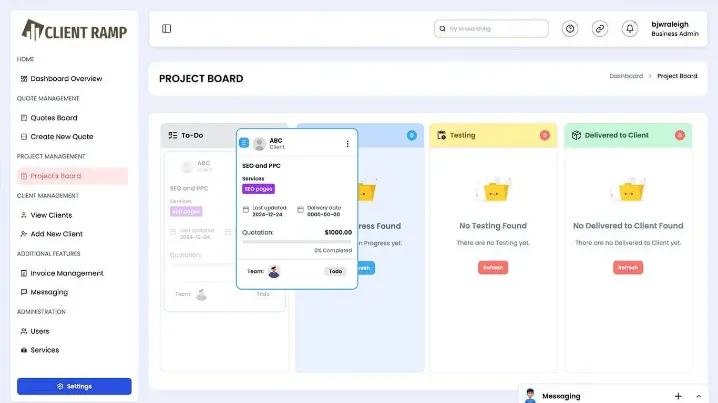
ClientRamp's kanban boards give you a clear, visual overview of every project and proposal in your pipeline — organized by stage, updated in real time, and accessible to your entire team from a single dashboard. Drag and drop projects and quotes through fully customizable columns that reflect your actual workflow, from first client contact all the way through to final delivery and payment. No more guessing where a deal stands, no more chasing teammates for status updates, and no more proposals slipping through the cracks because nobody knew they needed a follow-up.
The project kanban keeps your delivery pipeline organized and your team aligned on priorities, with every task, deadline, and client detail accessible directly from the relevant board card. The quote kanban works the same way for your sales pipeline — giving you full visibility into every proposal you've sent, which ones are awaiting approval, and which are ready to be converted into active projects with a single click. Because both boards live inside the same platform as your clients, invoices, and communications, every stage change is reflected across the entire record automatically.
Whether you're managing a handful of ongoing projects or juggling dozens of active proposals at once, ClientRamp's kanban tools give you the structure and visibility to stay on top of everything without the chaos.