How to use Online Support
Using online support effectively in project management can greatly enhance communication, problem-solving, and overall project success. Online support tools, such as help desks, live chat systems, or support tickets, allow project managers and teams to quickly address issues or queries that arise during the project lifecycle. These tools enable project members to submit questions or report problems, which can then be tracked, prioritized, and resolved by the appropriate team members. Online support systems also provide a centralized place for knowledge sharing, allowing project teams to document common challenges and solutions. This makes it easier for new team members or external partners to find answers without needing direct support. For clients, offering a dedicated online support channel can improve customer satisfaction by providing quick responses and timely resolutions to issues. By incorporating online support into project management workflows, teams can work more efficiently, reduce downtime, and maintain clear communication channels, ultimately driving better project outcomes.
Quote Management
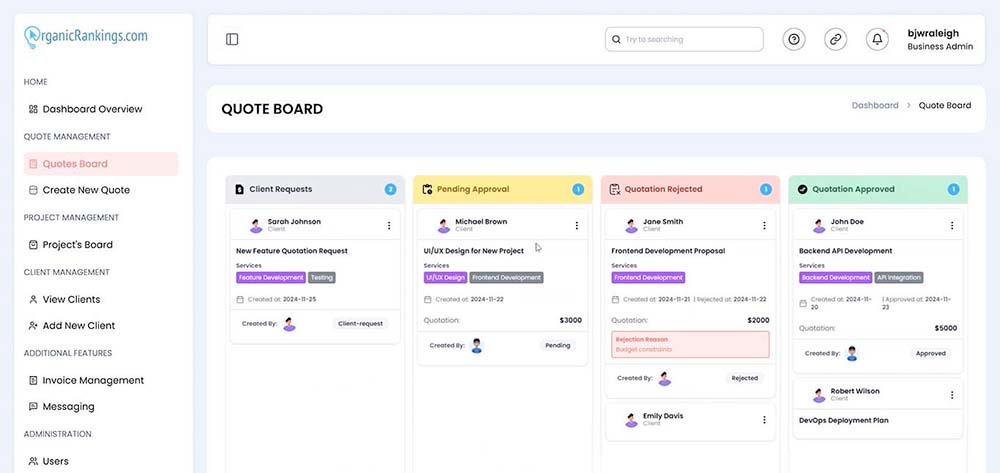
The quote management section allows you to efficiently manage all your quotes in one centralized location. You can organize them into columns based on their status. Quotes start as client requests, where clients submit their inquiries. From there, they move to "Pending Approvals" and then to either "Quotation Rejected" or "Quotation Approved," depending on the outcome. With our convenient drag-and-drop feature, you can easily update the status of a quote whenever needed.
Project Management
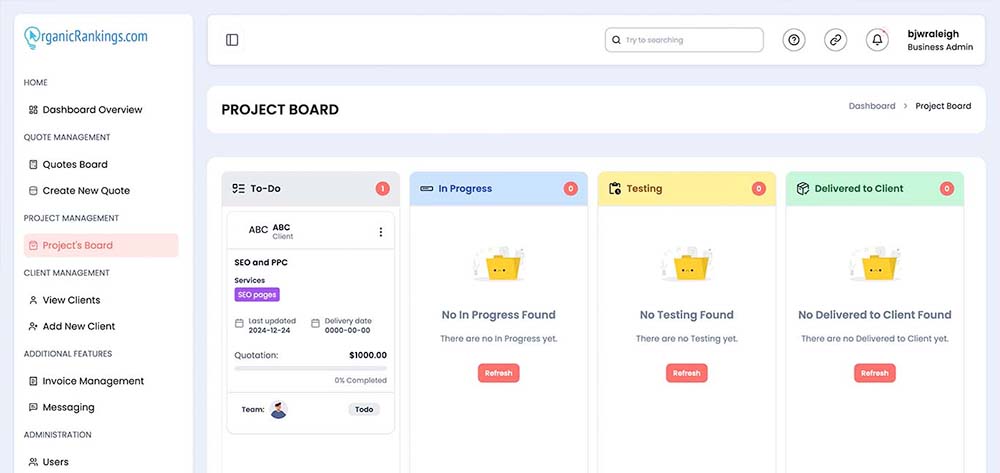
Once a quotation is approved, it transitions into a project. On your project management board, you can view all your projects in one centralized location, organized into columns based on their status: To-Do, In Progress, Testing, or Delivered to Client. Projects are automatically displayed in the appropriate column according to their current status. You can easily update a project's status by dragging and dropping it from one column to another.